Skip to product information
1 of 2
Bantam Tools Font Maker™

Bantam Tools Font Maker™ is an iPad app for creating handwriting fonts and personal letters. Capture your handwriting with Apple Pencil, or choose a built-in font, then type, edit, preview, and sign your message—all in one place.


Create and refine your font for free.
Unlock font and letter exports with a one-time $29.99 in-app purchase.

Requires iPad and Apple Pencil.

Download on the App Store

Turn Your Handwriting into a Reusable Font

Your handwriting is uniquely yours. Capture individual characters or connected letterforms with Apple Pencil, refine your font, and use it again and again in personal letters and digital documents.

Create a Personal Letter in One Place

Type your message in your own handwriting font or a built-in font. Edit your words, preview the layout, and add your signature—all on your iPad. Prepare a thoughtful letter without switching between tools.

Use Your Handwriting on Paper and Beyond

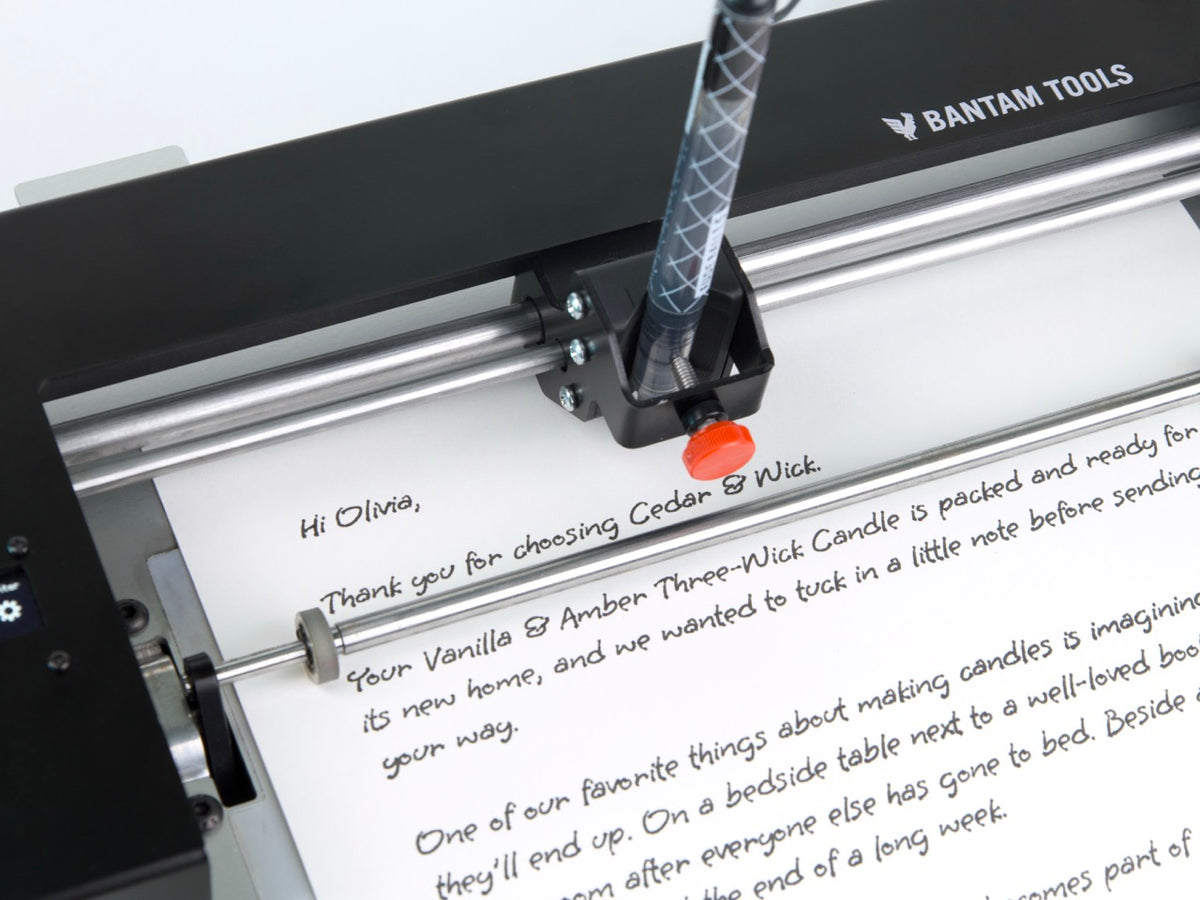
Export your handwriting as SVG or TTF fonts for software that supports those font formats. Export finished letters as SVG documents for plotting or PDFs for printing. Send your SVG letter to a plotter that accepts SVG files, including Bantam Tools NextDraw™, ArtFrame™, and HandWriter®.

Load video:

From Your Handwriting to a Personal Letter

Capture

Write characters with Apple Pencil to create your handwriting font.

Compose

Type, edit, preview, and sign your letter in the app.

Export

Export your fonts and letters as an SVG document for plotting or a PDF for printing.

You can also start with a built-in font without creating your own first.


Key Features

  • Create Your Own Handwriting Font

    Turn your handwriting into a personal font with iPad and Apple Pencil. Capture individual characters or write whole words to preserve connected letterforms and the distinctive style of your writing.

  • Refine Your Font While Keeping Its Character

    Use the Character Editor to adjust letter shapes and smooth strokes while keeping the character of your handwriting. Refine the details until your font looks the way you want.

  • Compose and Preview in Your Font

    Type your message and see it take shape in your own handwriting font or a built-in font. Draft, edit, and preview your letter directly on your iPad before exporting it.

  • Add Your Personal Signatures

    Include up to three signatures in your handwriting font and add them to your letters in the app. Your signatures are preserved in exports, so you can keep using them in compatible software.

  • Bring Your Words to Paper

    Export your letter as an SVG document and send it to a plotter that accepts SVG files, including Bantam Tools NextDraw™, Bantam Tools ArtFrame™, and Bantam Tools HandWriter®. The plotter writes your message with a real pen. You can also export a PDF for printing.

  • Choose the Font Format for Your Workflow

    Export a single-stroke SVG font for software that supports SVG fonts, or a TTF font for software that supports TTF fonts. Your signatures are preserved in both font formats. Finished letters can be exported separately as SVG documents for plotting or PDFs for printing.

1 of 6

Bring Your Handwriting to Bantam Tools HandWriter®

Create your handwriting font and prepare letters in Font Maker, then export an SVG document to plot with Bantam Tools HandWriter®, NextDraw™, ArtFrame™, or another plotter that accepts SVG files. Export SVG or TTF fonts for use in software that supports those font formats, or export your letter as a PDF for printing.

Need a Hand?

Have a question about creating your font or using it with Bantam Tools software and machines? Contact Bantam Tools Support.